Magic Doodle Premium3.2
Publisher Description
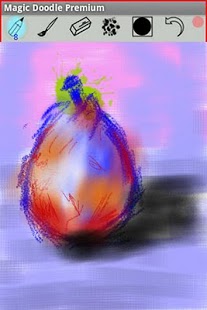
The sketching, drawing and painting application with more than 40 brush and pencil effects, layers, multitouch, video playback of your painting.
Suitable for beginners, advanced users and professionals.
All is around the brushes. Each brush has specific form and unique effect.
Main features:
- 6 Pencils and 40 artbrushes selection and adjustment
- 4 smudge effects
- 6 eraser heads
- Abstract painting
- Symmetrical drawing and painting
- 15 color palettes with premixed colors
- Color wheel with HSV - RGB - HEX editable values
- 3 layers with duplication, transition, mirror flip, image importation, background fill, merge and move
- Last used colors and tools
- Export and share the paintings
- Video replay of the paintings (video actually not exportable)
- 6 canvas sizes
ADS FREE.
- Watch Magic Doodle videos on Youtube.com
- Post your paintings on http://www.flickr.com/groups/magicdoodle.
- Facebook: Magic Doodle Gallery
About Magic Doodle Premium
The company that develops Magic Doodle Premium is Nguyen Tan Hon - Hu Yong Jie. The latest version released by its developer is 3.2. This app was rated by 1 users of our site and has an average rating of 4.0.
To install Magic Doodle Premium on your Android device, just click the green Continue To App button above to start the installation process. The app is listed on our website since 2013-12-20 and was downloaded 405 times. We have already checked if the download link is safe, however for your own protection we recommend that you scan the downloaded app with your antivirus. Your antivirus may detect the Magic Doodle Premium as malware as malware if the download link to com.nguyentanhon.magicdoodle is broken.
How to install Magic Doodle Premium on your Android device:
- Click on the Continue To App button on our website. This will redirect you to Google Play.
- Once the Magic Doodle Premium is shown in the Google Play listing of your Android device, you can start its download and installation. Tap on the Install button located below the search bar and to the right of the app icon.
- A pop-up window with the permissions required by Magic Doodle Premium will be shown. Click on Accept to continue the process.
- Magic Doodle Premium will be downloaded onto your device, displaying a progress. Once the download completes, the installation will start and you'll get a notification after the installation is finished.
Program Details
System requirements
Download information
Pricing
Version History
version 3.2
posted on 2013-12-20
- Added rotation function for the layers transition
version 3.0.1
posted on 2011-04-24
Several fixes and updates
